
| Win10安装客户端软件called runscript when not ma |
| 发布时间:2020-4-6 访问人数:1429次 |
最近有Win10系统用户在安装邦纬直播桌面客户端的时候遇到报错“called runscript when not marked in progress”的问题,小编整理了一些方法和大家分享,看能否解决问题。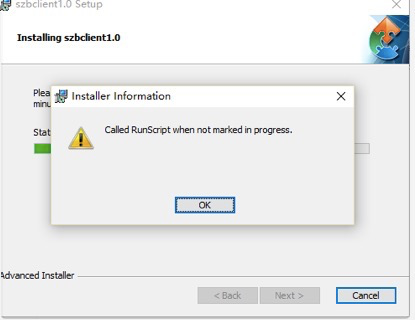 解决方法: 1、右键点击任务栏进入任务管理器 > 详细信息 > 找到 Windows文件资源管理器(explorer.exe),然后选中,点击结束任务; 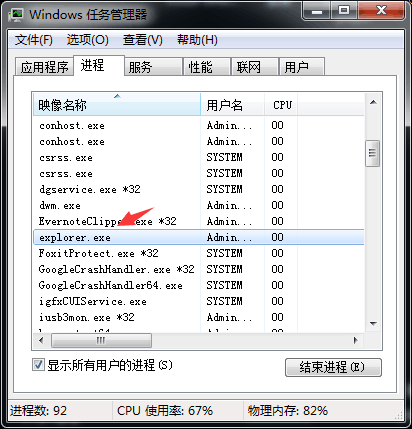 2、找到 C盘 System > Windows > 选中 Explorer.exe,选中后勾选以管理员身份运行,单击确定。 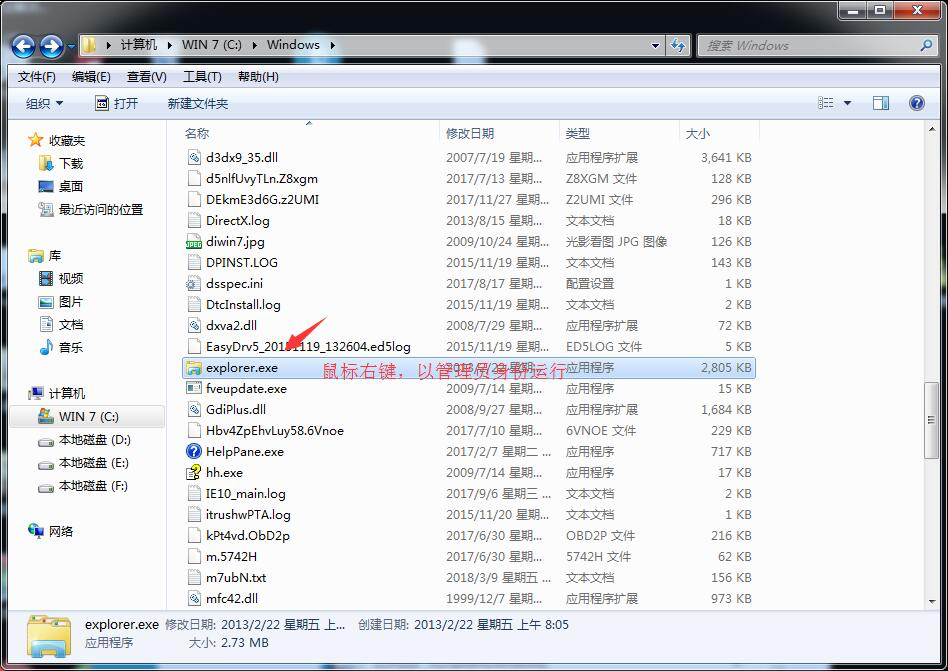 3、现在再重新使用邦纬直播客户端安装包进行你的安装,即可可 100% 顺利完成了。 以上就是Win10安装邦纬直播桌面客户端 called runscript when not marked in progress 的解决方法了,希望对大家有帮助。 |
